THIS GUIDE APPLIES TO IPHONE 4 ONLY.
How to Update iPhone 4 to iOS 4.1 Without Updating Baseband 1.59.00
Step 1
- Download TinyUmbrella 4.1.3
- Download iOS 4.1 for iPhone 4
Step 2
- Run TinyUmbrella
***READ THE README TinyUmbrella README NOW Yes. You Read it.- Hit the Start TSS Server button
Step 3
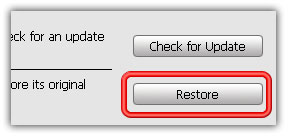
- Now open the iTunes. Hold down the SHIFT (Windows) or Alt/Option (Mac) key and hit the Restore button on iTunes.
- Then browse and select your downloaded iOS 4.1 firmware
Step 4
- Let iTunes error with 1004 error (baseband update failed – we want this
)
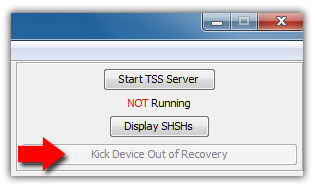
- No simply hit the Kick Device Out of Recovery button on TinyUmbrella.
That’s it. You have successfully updated iPhone 4 to 4.1 with 1.59.00 baseband.


via blancer.com
This is something I am going to try with either limera1n http://www.limera1n.com or greenpois0n http://greenpois0n.com. Why? Because I want to be able to finally call my friends' iPods with FaceTime by email. :) I want to keep my unlock with ultrasn0w http://ultrasn0w.com.
P.S. Fresh update - you can not do limera1n with ultrasn0w, so do either greenpois0n, which might also be not an option, if they incorporate limera1n's exploit, or DevTeam suggests to wait PwnageTool http://blog.iphone-dev.org/post/1280823486/limera1n-surprise.>

 What I tried. Restore to 4.0.1 (not 4.0.2 or you will loose a jailbreak). Jailbreak. Install only MyWi4 from Cydia with Rock, run MyWi4, get the first license, remove MyWi4, install Elpelle6's MyWi4 without Rock, remove Rock - now you've got pretty clean jailbroken iPhone4 with MyWi4 without Rock installed. Run MyWi4 - it will ask you to respring. I told it "Later" and probably that what helps. It does work anyways - I tried it. The battery runs out a little bit (I still believe MyWi4 is sorta dirty), but it's acceptable - under 5% overnight. Hopefully, it will work for you, too.